Automated Versioning with GitHub Actions
A practical walkthrough of a reusable setup-version.yml workflow: reading package.json, adding branch/build suffixes, returning full_version, and wiring it into GitHub Actions deployment pipelines.
Application versions often feel like a small detail until they start getting in the way of deployment.
Updating package.json by hand, remembering the tag, passing the version into .env, building the project, and publishing the artifact to GitHub Pages works fine once. By the fifth project, you usually want versioning to live in one place instead of copying the same YAML around.
In this article, we will look at a reusable workflow:
jenesei-software/.github/.github/workflows/setup-version.ymlIt lives in the shared jenesei-software/.github repository and is used by other workflows as a small service: it receives the bump type, branch name, and a couple of flags, then returns a ready-to-use version string.
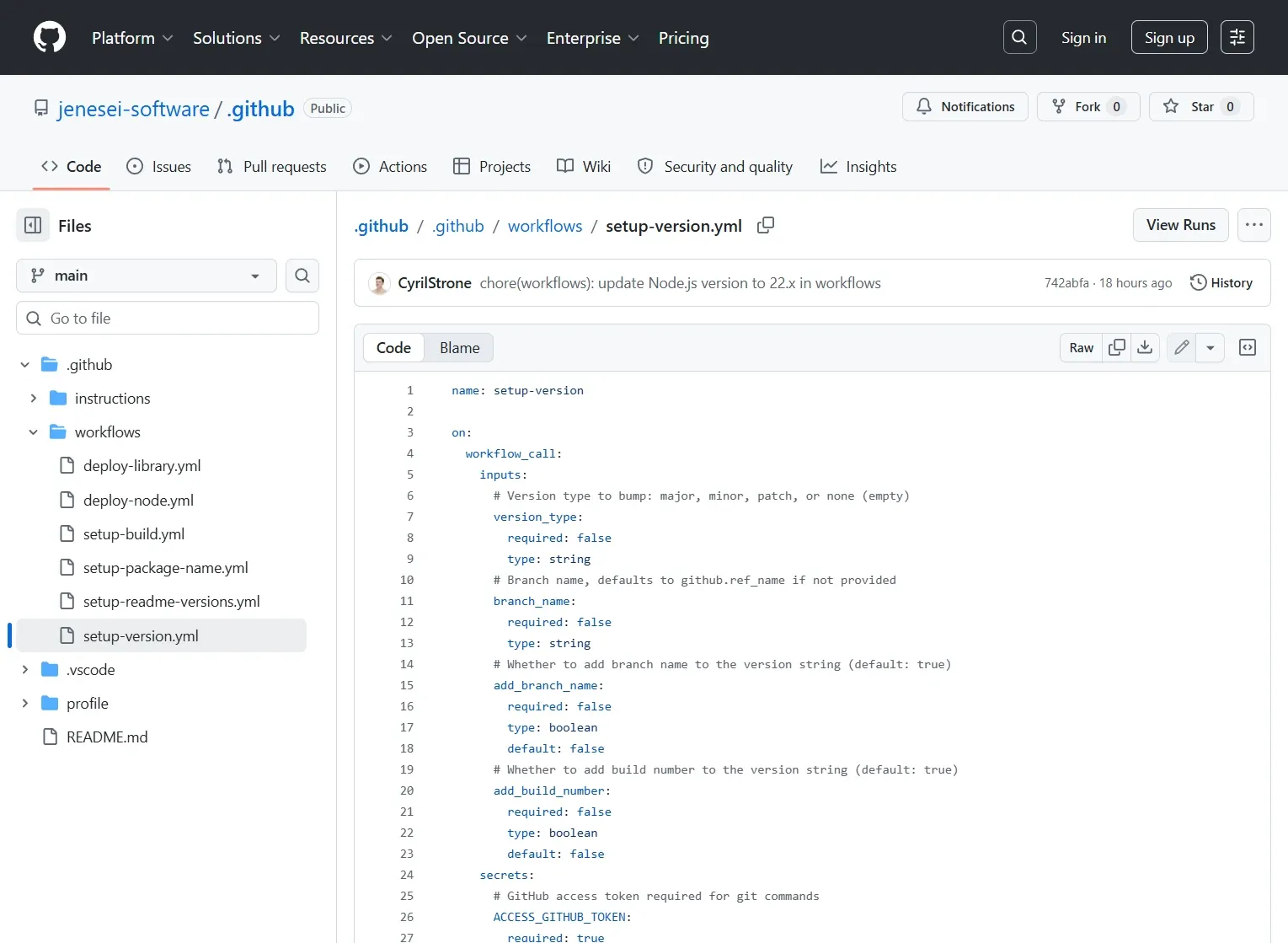
Source: setup-version.yml on GitHub.
Full setup-version.yml
Below is the full workflow that calculates the version. After that, we will break it down piece by piece.
name: setup-version

on:
  workflow_call:
    inputs:
      # Version type to bump: major, minor, patch, or none (empty)
      version_type:
        required: false
        type: string
      # Branch name, defaults to github.ref_name if not provided
      branch_name:
        required: false
        type: string
      # Whether to add branch name to the version string (default: true)
      add_branch_name:
        required: false
        type: boolean
        default: false
      # Whether to add build number to the version string (default: true)
      add_build_number:
        required: false
        type: boolean
        default: false
    secrets:
      # GitHub access token required for git commands
      ACCESS_GITHUB_TOKEN:
        required: true
    outputs:
      # Full version string including build and branch or "tag not changed"
      full_version:
        description: "Full version including build or 'tag not changed'"
        value: ${{ jobs.setup-version.outputs.full_version }}
      # Flag indicating if the tag was changed (true/false)
      tag_changed:
        description: "Whether the tag was changed or not"
        value: ${{ jobs.setup-version.outputs.tag_changed }}

jobs:
  setup-version:
    runs-on: ubuntu-latest
    outputs:
      # Pass outputs from the 'define' step
      full_version: ${{ steps.define.outputs.full_version }}
      tag_changed: ${{ steps.define.outputs.tag_changed }}
    steps:
      - name: Checkout repository
        uses: actions/checkout@v4
        # Checkout repository to access files and git history

      - name: Setup Node.js
        uses: actions/setup-node@v4
        with:
          node-version: "22.x"
        # Setup Node.js environment to run node commands

      - name: Fetch all tags
        run: git fetch --tags
        # Fetch all git tags from remote to check existing versions

      - name: Define version type and bump version
        id: define
        run: |
          # Log input parameters for debugging
          echo "Version type input: ${{ inputs.version_type }}"
          echo "Add branch name: ${{ inputs.add_branch_name }}"
          echo "Add build number: ${{ inputs.add_build_number }}"

          # Determine version bump type (major, minor, patch or none)
          if [[ -n "${{ inputs.version_type }}" ]]; then
            VERSION_TYPE="${{ inputs.version_type }}"
          else
            VERSION_TYPE="none"
          fi
          echo "VERSION_TYPE=$VERSION_TYPE" >> $GITHUB_ENV

          # Get branch name either from input or from github context
          BRANCH_NAME="${{ inputs.branch_name || github.ref_name }}"
          ADD_BRANCH_NAME="${{ inputs.add_branch_name }}"
          ADD_BUILD_NUMBER="${{ inputs.add_build_number }}"

          # Read current version from package.json and remove any pre-release suffix (e.g., -beta)
          PACKAGE_VERSION_RAW=$(node -p "require('./package.json').version")
          BASE_VERSION=$(echo "$PACKAGE_VERSION_RAW" | sed 's/-.*//')

          VERSION="$BASE_VERSION"
          BUILD=""

          # If bump type is specified, calculate new version accordingly
          if [ "$VERSION_TYPE" != "none" ]; then
            IFS='.' read -r MAJOR MINOR PATCH <<< "$BASE_VERSION"
            if [ "$VERSION_TYPE" = "major" ]; then
              MAJOR=$((MAJOR + 1)); MINOR=0; PATCH=0
            elif [ "$VERSION_TYPE" = "minor" ]; then
              MINOR=$((MINOR + 1)); PATCH=0
            elif [ "$VERSION_TYPE" = "patch" ]; then
              PATCH=$((PATCH + 1))
            fi
            VERSION="${MAJOR}.${MINOR}.${PATCH}"
            BUILD=1
          else
            # If no version specified, default to 0.0.0
            if [ -z "$VERSION" ]; then VERSION="0.0.0"; fi

            # If build number is enabled, count existing tags for this version and branch, then increment
            if [ "$ADD_BUILD_NUMBER" = "true" ]; then
              BUILD=$(git tag | grep "^v$VERSION-$BRANCH_NAME\." | wc -l)
              BUILD=$((BUILD + 1))
            fi
          fi

          # Construct the full version string depending on flags
          FULL_VERSION="$VERSION"
          if [ "$ADD_BRANCH_NAME" = "true" ]; then
            FULL_VERSION="${FULL_VERSION}-$BRANCH_NAME"
          fi
          if [ "$ADD_BUILD_NUMBER" = "true" ]; then
            # Default build to 1 if empty
            if [ -z "$BUILD" ]; then BUILD=1; fi
            FULL_VERSION="${FULL_VERSION}.$BUILD"
          fi

          # Check if tag with this version already exists (with 'v' prefix)
          TAG_EXISTS=$(git tag -l "v$FULL_VERSION")

          # Determine if tag changed:
          # If no version bump (version_type=none), no branch or build number added,
          # and tag already exists, then tag did NOT change
          if [ "$VERSION_TYPE" = "none" ] && [ "$ADD_BUILD_NUMBER" = "false" ] && [ "$ADD_BRANCH_NAME" = "false" ] && [ -n "$TAG_EXISTS" ]; then
            # Output old tag and false for tag_changed
            echo "full_version=$FULL_VERSION" >> $GITHUB_OUTPUT
            echo "tag_changed=false" >> $GITHUB_OUTPUT
          else
            # Otherwise, new or changed tag
            echo "full_version=$FULL_VERSION" >> $GITHUB_OUTPUT
            echo "tag_changed=true" >> $GITHUB_OUTPUT
          fi
Why This Is Useful
The main idea is simple: a project should not need to know exactly how the release version is formed. It should only say:
- Which version to bump:
major,minor,patch, ornone. - Whether to add the branch name.
- Whether to add the build number.
The reusable workflow handles the details:
package.json version: 1.4.0
branch: main
version_type: none
add_branch_name: true
add_build_number: true

full_version: 1.4.0-main.7
tag: v1.4.0-main.7
That kind of version is useful inside the app, in .env, in package.json, in a Git tag, and when you need to quickly understand where a specific build came from.
Overall Flow
This setup has three layers.
project workflow
        |
        v
jenesei-software/.github/deploy-node.yml
        |
        v
jenesei-software/.github/setup-version.yml
The project-level workflow is usually very thin. For example, in jenesei-template-project-react, deploy-node.yml only exposes inputs in the GitHub UI and calls the shared deploy-node.yml:
jobs:
  call-publisher:
    uses: jenesei-software/.github/.github/workflows/deploy-node.yml@main
    with:
      env_property: ${{ inputs.env_property }}
      build_folder: ${{ inputs.build_folder }}
      version_type: ${{ inputs.version_type }}
      package_manager: ${{ inputs.package_manager }}
      add_branch_name: ${{ inputs.add_branch_name }}
      add_build_number: ${{ inputs.add_build_number }}
    secrets:
      ACCESS_GITHUB_TOKEN: ${{ secrets.GITHUB_TOKEN }}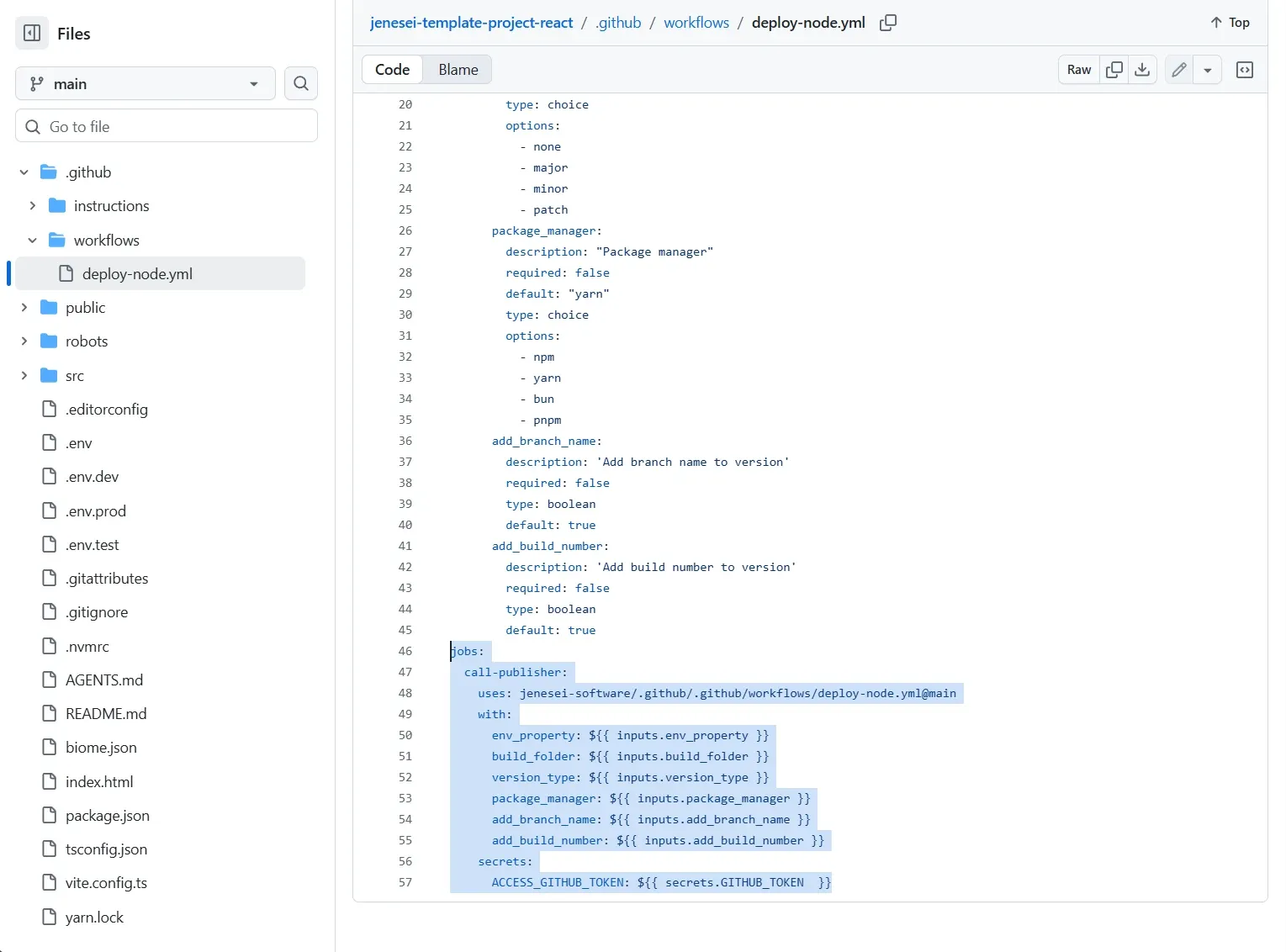
Source: jenesei-template-project-react/.github/workflows/deploy-node.yml.
Then the shared deploy-node.yml calls setup-version.yml:
jobs:
  setup-version:
    uses: jenesei-software/.github/.github/workflows/setup-version.yml@main
    with:
      version_type: ${{ inputs.version_type }}
      branch_name: ${{ github.ref_name }}
      add_branch_name: ${{ inputs.add_branch_name }}
      add_build_number: ${{ inputs.add_build_number }}
    secrets:
      ACCESS_GITHUB_TOKEN: ${{ secrets.ACCESS_GITHUB_TOKEN }}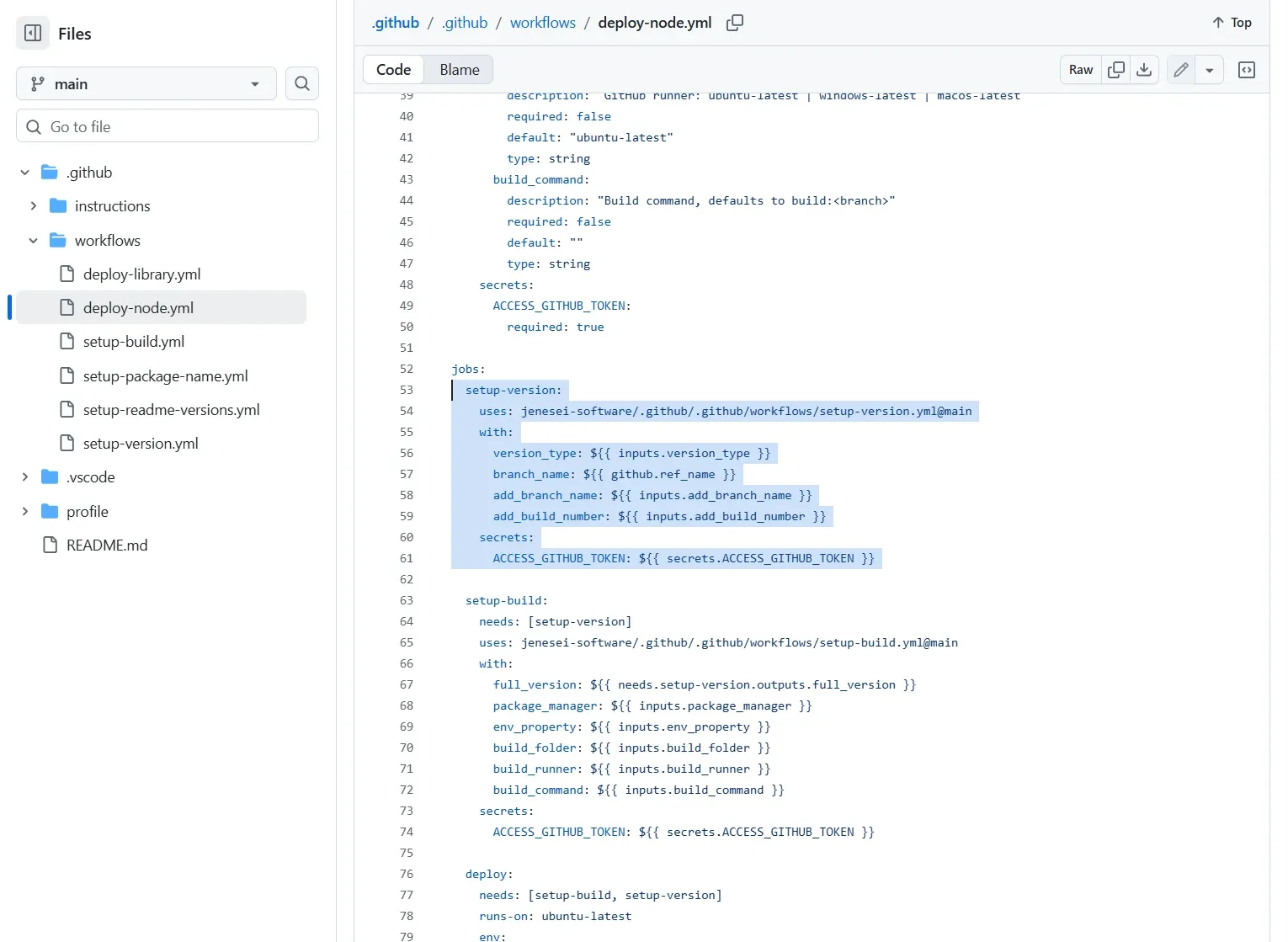
Source: jenesei-software/.github/.github/workflows/deploy-node.yml.
The setup-version.yml Contract
setup-version.yml is declared with workflow_call, so other workflows can call it:
on:
  workflow_call:
    inputs:
      version_type:
        required: false
        type: string
      branch_name:
        required: false
        type: string
      add_branch_name:
        required: false
        type: boolean
        default: false
      add_build_number:
        required: false
        type: boolean
        default: false
    outputs:
      full_version:
        value: ${{ jobs.setup-version.outputs.full_version }}
      tag_changed:
        value: ${{ jobs.setup-version.outputs.tag_changed }}
There are two outputs.
full_version is the final version string. For example, 1.4.0, 1.4.1, 1.4.0-main.7, or 2.0.0-stage.1.
tag_changed is a flag that shows whether the tag is considered new. In the current deploy-node.yml, the main scenario always creates a tag from FULL_VERSION, but this output is useful if later you want to skip part of a job when the version did not change.
How the Version Is Calculated
The workflow performs several steps.
First, checkout, Node.js, and tags:
- name: Checkout repository
  uses: actions/checkout@v4

- name: Setup Node.js
  uses: actions/setup-node@v4
  with:
    node-version: "22.x"

- name: Fetch all tags
  run: git fetch --tags
Tags are not just decoration here. The workflow uses them to decide the next build number for the current base version and branch.
Then the version is read from package.json:
PACKAGE_VERSION_RAW=$(node -p "require('./package.json').version")
BASE_VERSION=$(echo "$PACKAGE_VERSION_RAW" | sed 's/-.*//')
If package.json contains 1.4.0-beta.2, the base version becomes 1.4.0. That is useful because the package pre-release suffix does not leak into the production tag.
Then version_type is applied:
if [ "$VERSION_TYPE" = "major" ]; then
  MAJOR=$((MAJOR + 1)); MINOR=0; PATCH=0
elif [ "$VERSION_TYPE" = "minor" ]; then
  MINOR=$((MINOR + 1)); PATCH=0
elif [ "$VERSION_TYPE" = "patch" ]; then
  PATCH=$((PATCH + 1))
fi
The rules are standard:
1.4.0 + major = 2.0.0
1.4.0 + minor = 1.5.0
1.4.0 + patch = 1.4.1
1.4.0 + none  = 1.4.0
If version_type is not none, the build number starts from 1. So patch on the main branch with suffixes enabled gives:
1.4.1-main.1If version_type: none, the workflow does not touch semver and can only add the branch and build number. The build number is calculated from existing tags:
BUILD=$(git tag | grep "^v$VERSION-$BRANCH_NAME\." | wc -l)
BUILD=$((BUILD + 1))
For example, if these tags already exist:
v1.4.0-main.1
v1.4.0-main.2
v1.4.0-main.3
then the next build on main becomes:
1.4.0-main.4The final string is assembled from three parts:
FULL_VERSION="$VERSION"

if [ "$ADD_BRANCH_NAME" = "true" ]; then
  FULL_VERSION="${FULL_VERSION}-$BRANCH_NAME"
fi

if [ "$ADD_BUILD_NUMBER" = "true" ]; then
  if [ -z "$BUILD" ]; then BUILD=1; fi
  FULL_VERSION="${FULL_VERSION}.$BUILD"
fi
Result Examples
Here is what the version looks like with different settings.
package.json: 1.4.0
branch: main
For frontend applications, I like the version_type: none, add_branch_name: true, add_build_number: true mode. It does not change the base product version without an explicit decision, but every build still receives a unique tag:
1.4.0-main.1
1.4.0-main.2
1.4.0-main.3
And when a real release bump is needed, you can manually select patch, minor, or major when running the workflow.
How the Version Moves Through deploy-node.yml
setup-version.yml only calculates the version. It does not commit package.json and does not push a tag. That separation of responsibilities matters.
In the shared deploy-node.yml, the result is used in two places.
First, the version is passed to the build workflow:
setup-build:
  needs: [setup-version]
  uses: jenesei-software/.github/.github/workflows/setup-build.yml@main
  with:
    full_version: ${{ needs.setup-version.outputs.full_version }}
    package_manager: ${{ inputs.package_manager }}
    env_property: ${{ inputs.env_property }}
    build_folder: ${{ inputs.build_folder }}
Then the deploy job writes it to package.json and .env:
env:
  FULL_VERSION: ${{ needs.setup-version.outputs.full_version }}
  BRANCH_NAME: ${{ github.ref_name }}
  ENV_PROPERTY: ${{ inputs.env_property }}
node -e "let p=require('./package.json'); p.version='${{ env.FULL_VERSION }}'; require('fs').writeFileSync('./package.json', JSON.stringify(p, null, 2));"
touch .env
if grep -q '^${{ env.ENV_PROPERTY }}=' .env; then
sed -i "s/^${{ env.ENV_PROPERTY }}=.*/${{ env.ENV_PROPERTY }}=${{ env.FULL_VERSION }}/" .env
else
echo "${{ env.ENV_PROPERTY }}=${{ env.FULL_VERSION }}" >> .env
fiFor a Vite application, this usually means:
VITE_APP_VERSION=1.4.0-main.7After that, the workflow creates a commit and a tag:
git config --local user.email "github-actions[bot]@users.noreply.github.com"
git config --local user.name "github-actions[bot]"
git add -u

if ! git diff --cached --quiet; then
  git commit -m "version: ${{ env.FULL_VERSION }}"
fi

git tag -a "v${{ env.FULL_VERSION }}" -m "version: ${{ env.FULL_VERSION }}"
git push origin HEAD:${{ env.BRANCH_NAME }}
git push origin "v${{ env.FULL_VERSION }}"
And only then does it deploy the build folder to a GitHub Pages branch:
- name: Deploy to GitHub Pages
  uses: peaceiris/actions-gh-pages@v4
  with:
    github_token: ${{ secrets.ACCESS_GITHUB_TOKEN }}
    publish_branch: build_${{ env.BRANCH_NAME }}
    publish_dir: ${{ inputs.build_folder }}
    force_orphan: true
    keep_files: false
Example from jenesei-kit-react
jenesei-kit-react uses the same idea, but the default build folder is different:
build_folder:
  description: "Build output folder"
  required: false
  default: "build-storybook"
  type: string
That makes sense for a UI kit: the deployed artifact is not a regular app, but Storybook.
The call to the shared workflow is the same:
jobs:
  call-publisher:
    uses: jenesei-software/.github/.github/workflows/deploy-node.yml@main
    with:
      env_property: ${{ inputs.env_property }}
      build_folder: ${{ inputs.build_folder }}
      version_type: ${{ inputs.version_type }}
      package_manager: ${{ inputs.package_manager }}
      add_branch_name: ${{ inputs.add_branch_name }}
      add_build_number: ${{ inputs.add_build_number }}
    secrets:
      ACCESS_GITHUB_TOKEN: ${{ secrets.GITHUB_TOKEN }}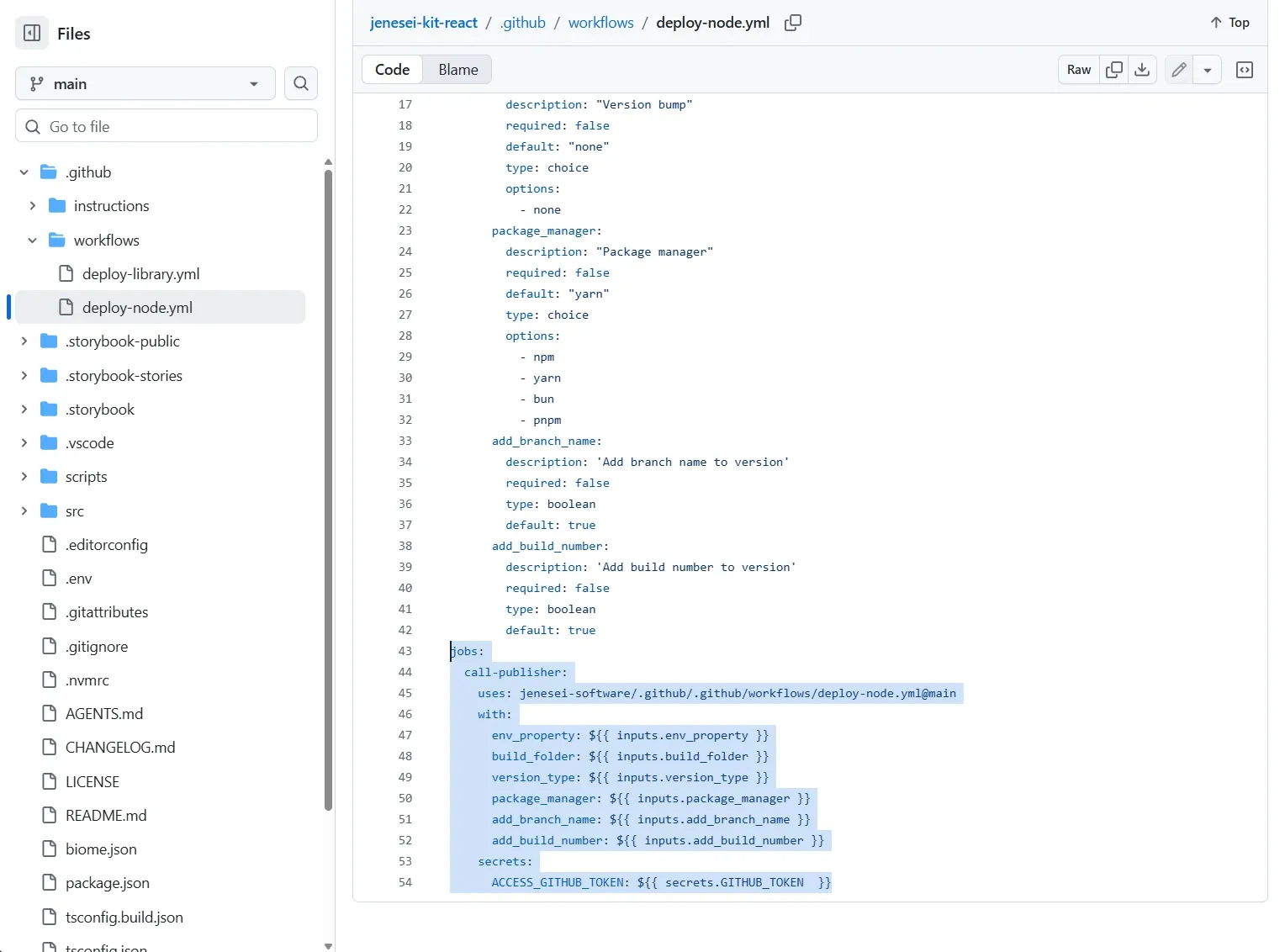
Source: jenesei-kit-react/.github/workflows/deploy-node.yml.
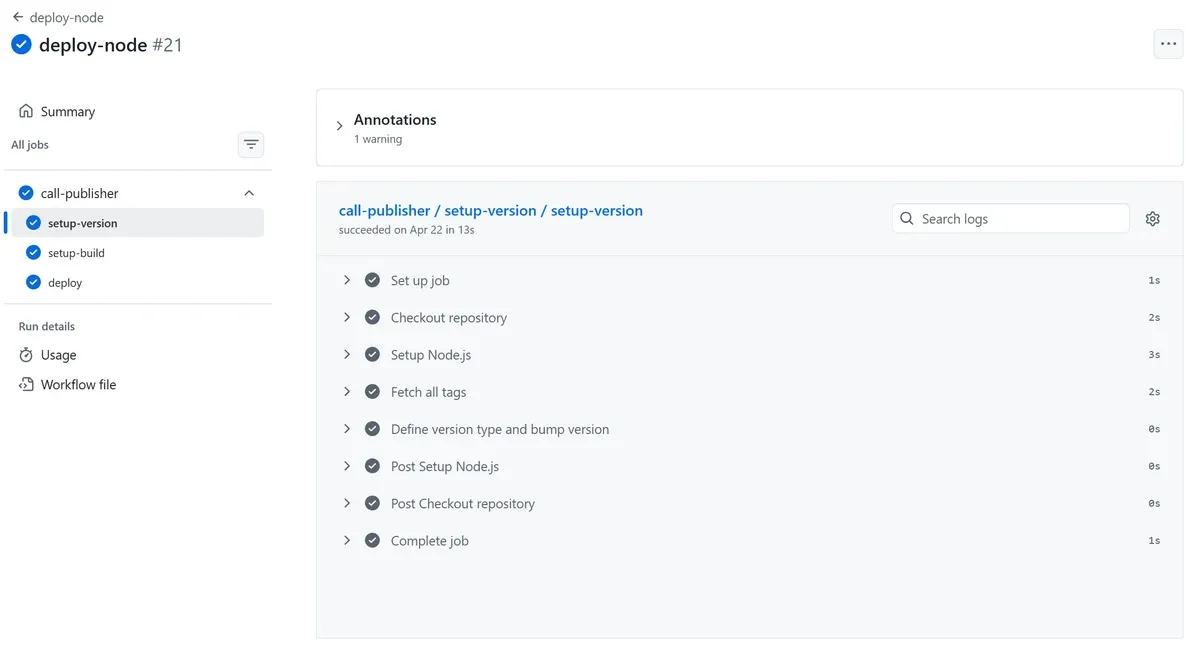
And here is how it looks in a real GitHub Actions run:
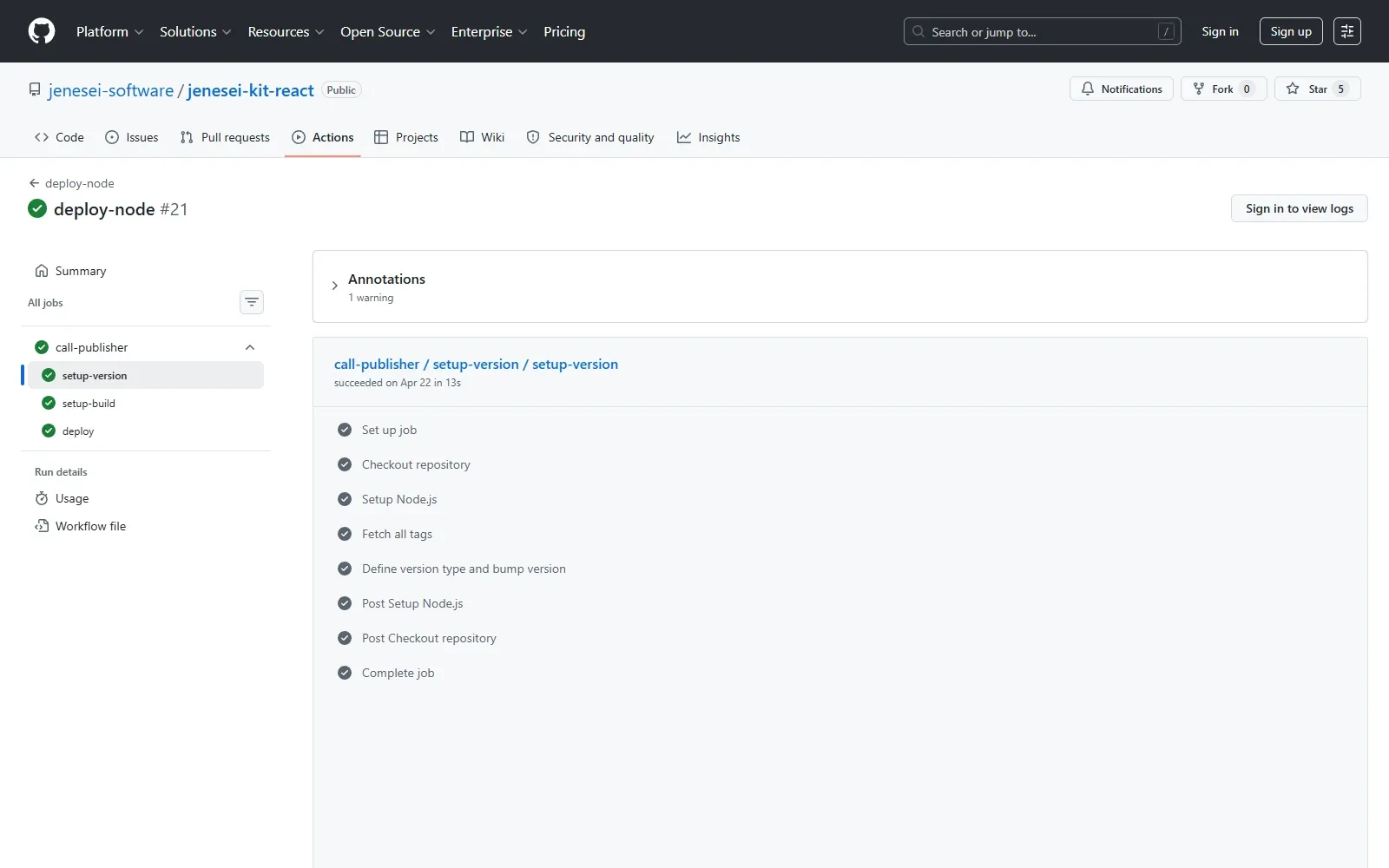
Source: deploy-node #21 in jenesei-kit-react. On the public page, GitHub shows the job structure and steps; detailed logs may require signing in.
The screenshot shows that inside call-publisher, the shared pipeline runs separate jobs:
setup-version
setup-build
deploy
So the project starts one workflow, and the shared pipeline splits the work into version calculation, build, and publication.
Why Reusable Workflow Beats Copy-Paste
If this YAML lives directly in every project, small differences appear quickly:
- One project uses Node.js
22.x, another still has an older runner. - Somewhere
git fetch --tagsis missing, so the build number is calculated incorrectly. - Somewhere the tag format changed.
- Somewhere the version is written to
VITE_APP_VERSION, somewhere to another env variable. - Somewhere the GitHub Pages deployment was not updated.
A reusable workflow solves this in a boring and reliable way: shared logic lives in one repository, and projects only pass their settings.
For a project, this becomes a small interface:
workflow_dispatch:
  inputs:
    build_folder:
      default: "build"
    env_property:
      default: "VITE_APP_VERSION"
    version_type:
      default: "none"
    package_manager:
      default: "yarn"
    add_branch_name:
      default: true
    add_build_number:
      default: true
All the internal machinery stays in jenesei-software/.github.
Things to Watch
The tag must be unique.
If add_branch_name and add_build_number are enabled, the workflow picks the next number from existing tags. If both flags are disabled and version_type: none, rerunning the workflow for the same version can hit an already existing tag.
package.json must exist.
setup-version.yml reads the version with:
node -p "require('./package.json').version"For Node/Vite/React projects, that is fine. For another type of project, this workflow should be adapted or the base version should be passed as a separate input.
The branch name goes into the version as-is.
For main, this is clean:
1.4.0-main.1But if you run the workflow on feature/auth-form, the version will contain a slash:
1.4.0-feature/auth-form.1That may be inconvenient for npm semver and Docker tags. If such branches should be deployed too, it is better to add branch name sanitizing: replace / and spaces with -.
ACCESS_GITHUB_TOKEN must have push permissions.
The workflow does not only calculate the version. Later, in deploy-node.yml, it pushes a commit/tag and publishes the build branch. So the token must have enough permissions for repository contents.
Application version and package version are not always the same thing.
For an application, a version like 1.4.0-main.7 is very useful: it answers the question "which build is currently open?" For an npm package, this format may not always be appropriate because npm semver has its own pre-release rules. For libraries, it is better to decide separately which versions go to the registry and which are only used by CI/deploy.
Links
Main repositories and files:
CyrilStrone/blog- the blog repository where this article lives.jenesei-software/.github- the shared repository with reusable workflows.setup-version.yml- the workflow that calculatesfull_version.deploy-node.ymlin the shared.github- the workflow that callssetup-version, builds the project, and deploys the result.jenesei-template-project-react- an example React project that uses the shareddeploy-node.yml.deploy-node.ymlinjenesei-template-project-react- the project workflow withworkflow_dispatch.jenesei-kit-react- an example UI kit that deploys Storybook through the same pipeline.deploy-node #21in GitHub Actions - a real run where thesetup-versionjob is visible.
Conclusion
setup-version.yml does one small but important thing: it turns the repository state into a clear version string.
It reads the base version from package.json, applies major/minor/patch/none, optionally adds the branch and build number, and then returns full_version to other jobs. Then deploy-node.yml uses that version for .env, package.json, commit, tag, and GitHub Pages deployment.
The result is a tidy setup: projects stay thin, shared CI/CD logic lives in one place, and every build gets a name that can be found and repeated.